3DMahjong
3D Mahjong needs WebGL. Turn on hardware acceleration in your browser settings, or try another browser.
3D Mahjong: Rotating Cube Tile Matching Game
Turn a shape built from picture cubes, find the free twins and match them away until nothing is left.
What is 3D Mahjong?
3D Mahjong takes the pair matching of mahjong solitaire off the table and builds it into a shape you can turn round. Picture cubes are stacked into towers, bridges, pyramids and castles, and you match free cubes in pairs until nothing is left. It is free to play in your browser on a phone, tablet or computer.
There is one rule to learn: a cube is free when two of its side faces that meet at a corner are open. Drag to turn the shape, find the twin of a free cube and tap them both. A ten-second lesson shows the rule the first time you play, and blocked cubes are dimmed so you can see what is in play.
A journey of 120 levels runs from an eight-cube warm-up to a monolith of 150 cubes, with up to three stars a level. Beside it are Zen, a calm endless mode with no clock, Time Attack, a three-minute race in which every cleared shape adds time, and the Daily Cube, one shape a day that is the same for everyone.
Every deal can be cleared. When no pair is free, the cubes that remain are shuffled and play goes on. Your progress saves by itself.
How to play 3D Mahjong
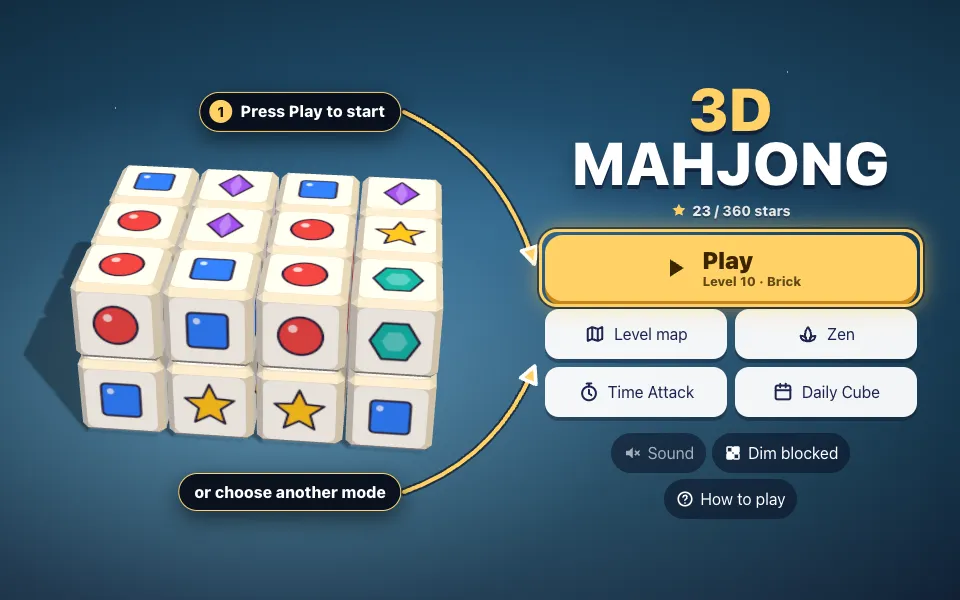
Press Play to start
Press Play to begin the journey at your level. Zen, Time Attack and the Daily Cube sit just below.
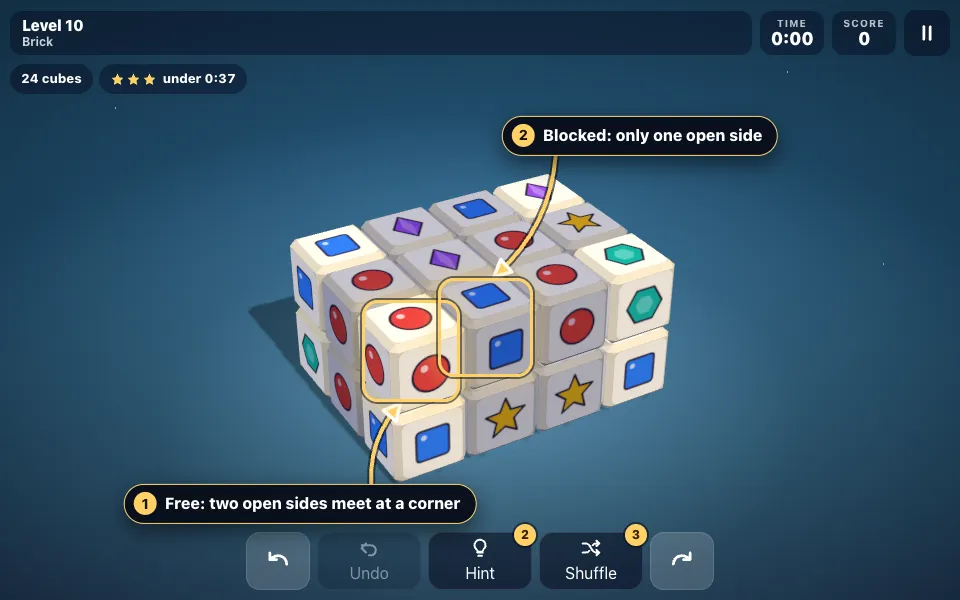
Find the free cubes
A cube is free when two open sides meet at a corner. Blocked cubes are shaded.
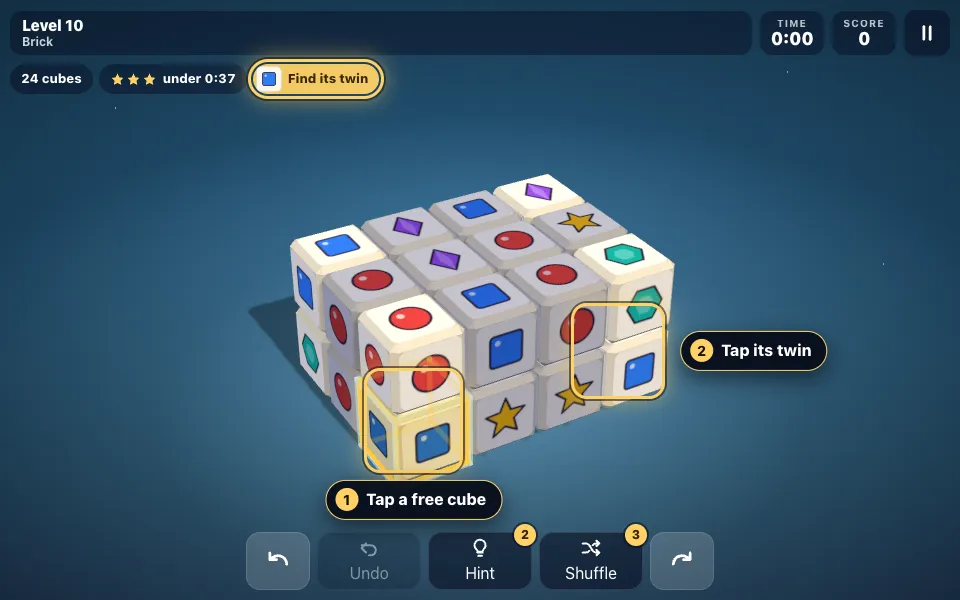
Match two twins
Tap a free cube, then a free cube with the same picture. The chip at the top shows what you hold.
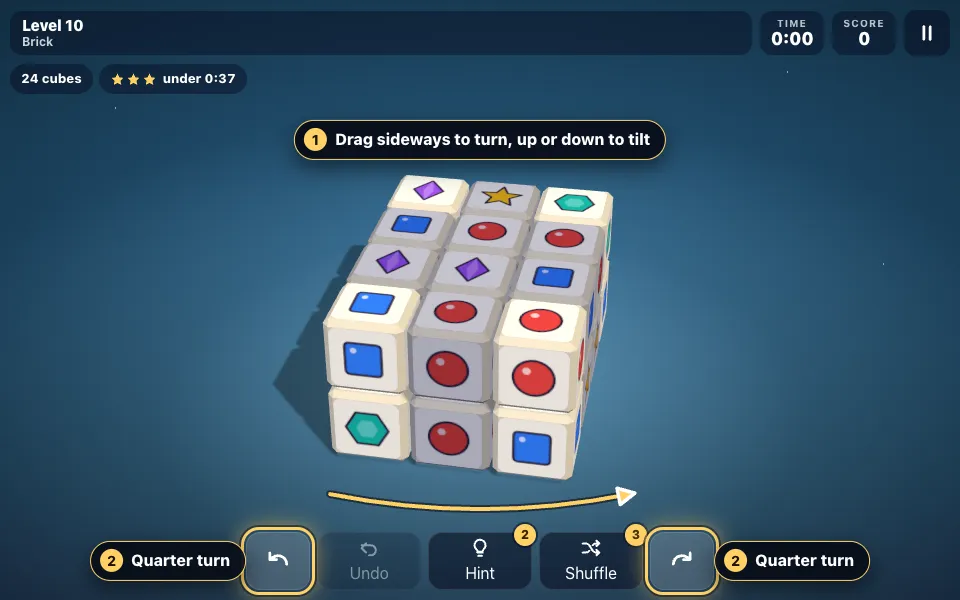
Turn the shape
Drag sideways to turn the shape and up or down to tilt it. The arrow buttons make a quarter turn.
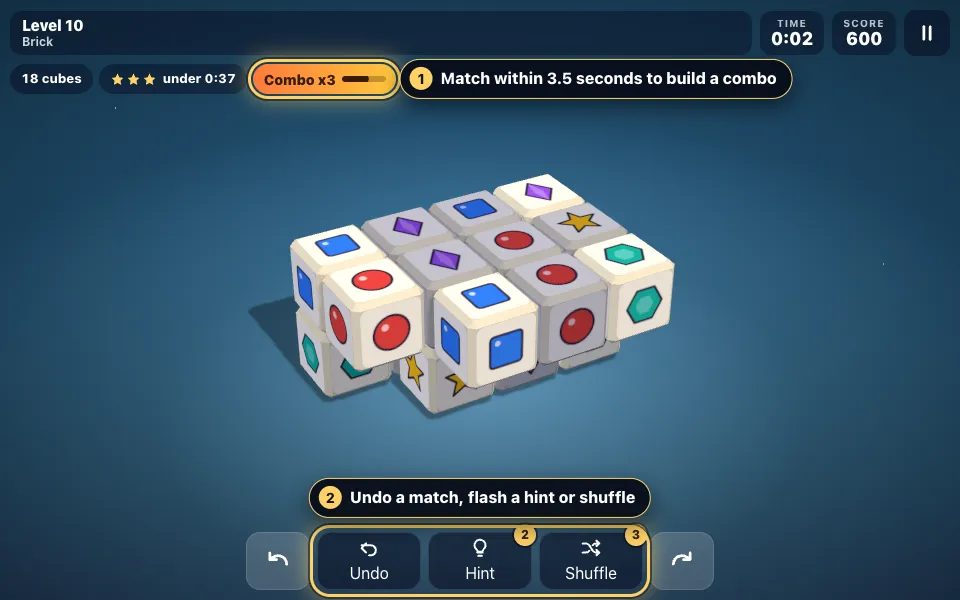
Build combos, use the bar
Quick matches raise the combo. Undo takes back a match, Hint flashes a free pair and Shuffle re-deals the cubes.

Clear it for stars
Clear every cube to finish the level. A fast clear earns two or three stars.
The rules in full
- Press Play to start the journey at your current level, or choose Zen, Time Attack or the Daily Cube. The first time, a short lesson on two tiny shapes teaches the rule.
- Look for free cubes. A cube is free when two of its side faces that meet at a corner have no cube next to them on the same level. Cubes above and below never matter.
- Tap or click a free cube to pick it. It turns gold inside a bright frame, and a chip above the board shows its picture.
- Tap a second free cube with the same picture. Both pop. To change your mind, tap the picked cube again to let it go.
- Drag sideways to turn the shape, or press the round arrow buttons. It settles on the nearest of four views, a quarter turn apart.
- Drag up or down to tilt the shape, from a low side view to a steep look from above.
- Match again within 3.5 seconds to build a combo. The multiplier rises by one with each quick match, as far as x8.
- Press Undo to take back your last match. Time Attack has no undo.
- If no free pair is left, the remaining cubes reshuffle. You can also press Shuffle yourself. A journey level allows three shuffles.
- On levels 1 to 20 and in Zen, Hint flashes one free pair, twice a shape. It never makes the match for you.
- Clear every cube to finish. In the journey, any clear unlocks the next level and a fast one earns two or three stars.
3D Mahjong tips and strategy
- Turn the shape all the way round before your first match. One look at all four sides shows where the twins are.
- Start with corners and the ends of rows. They are free from the first second, and taking them opens their neighbours.
- A long row only opens from its ends. Work inwards from both ends instead of waiting for the middle.
- A cube with another cube on top of it can still be taken. Check the lower levels of a tower as well as the top.
- When a picture is free in three places, take the two that open the most blocked cubes and leave the third.
- Find your next pair before you take the current one. A combo lasts only 3.5 seconds between matches.
- Two matches of the same picture in a row pay a 150-point twin bonus, so take four of a kind back to back.
- In the Daily Cube a shuffle adds 20 seconds and Undo adds nothing, so step back and try another pair first.
3D Mahjong rules: which cubes are free
The board is a shape built from cubes on a grid. Every cube shows one picture, and every picture appears an even number of times. Match two free cubes with the same picture and both leave the board.
A cube has four side faces. A side is open when no cube stands in the next space on the same level. The cube is free when two open sides meet at a corner: the front and the left, say. A cube that is open only at the front and the back, with neighbours on its left and right, is blocked.
Cubes above and below never count. A cube can be taken from under another one, and the cubes above stay where they are, because nothing falls.
How to turn and tilt the cube on a phone, tablet or computer
On a touch screen, a tap picks a cube and a one-finger drag turns the shape. A drag can start on a cube or on empty space, and it carries on if your finger slides off the board.
A mouse works the same way: click to pick, hold and drag to turn. Drag up or down to tilt. The two round arrow buttons turn the shape a quarter at a time.
On a keyboard, the Left and Right arrows turn the shape and Up and Down tilt it. W, A, S and D move a cursor across the free cubes you can see, and Space picks one. U is undo, H a hint, R a shuffle, P pauses and M switches the sound.
Game modes: Journey, Zen, Time Attack and the Daily Cube
The Journey has 120 levels in twelve chapters, from First Blocks, Towers and Pyramids to Castles, Monuments and Grand Cubes. No clock can run out: time only decides your stars. Every level gives three shuffles, and levels 1 to 20 add two hints.
Zen is an endless run of mid-sized shapes with no clock, shuffles without limit and two hints a shape.
Time Attack starts with three minutes. Each shape you clear adds 10 seconds plus one for every pair in it, and pays 500 points times the number of the shape. There is no undo and no hint, and the run ends when the clock reaches zero.
The Daily Cube is one deal for each calendar day, the same for every player. It has no hints, and each shuffle adds 20 seconds to your time. Only your first attempt of the day is ranked. After that you can replay it as practice.
3D Mahjong scoring, combos and stars
A pair is worth 100 points times your combo multiplier. The multiplier goes up by one each time you match within 3.5 seconds of your last match, as far as x8. One slower match sends it back to x1. Matching the same picture twice in a row adds a twin bonus of 150 points.
Journey stars depend on time alone. Level 1, a cube of eight, gives three stars for a clear in 16 seconds or less and two stars up to 29 seconds. Any clear earns one star and unlocks the next level.
The journey clock starts with your first move, not when the shape appears. Turn the shape and plan before you touch anything: looking is free.
Never stuck: solvable deals, shuffles, undo and hints
Every deal is made backwards from an empty board, so there is always an order of matches that clears it. All 120 journey levels have also been played to the end by a solving program.
You can still take pairs in an order that leaves no free pair. The game then shuffles the pictures on the remaining cubes into a new arrangement that can be cleared. A journey level allows three shuffles, and a dead end with none left ends the attempt, with Try again one press away. Zen and Time Attack shuffle for free.
Undo steps back one match at a time, as far as your last shuffle. Hints are for learning: a hint flashes one free pair and leaves the match to you. From level 21 on, you find every pair yourself.
How 3D Mahjong differs from flat mahjong solitaire
Flat mahjong solitaire is a stack of tiles seen from above, and a tile is free when nothing lies on it and one long edge is open. Here the shape is a solid, and half of it always faces away from you. Finding the twin is part of the game, and so is remembering what you saw on the far side.
The pictures are different too. Instead of traditional suits there are 32 pictures in four families, each on its own background tint: plain shapes such as a red circle and a gold star, sky pictures, garden pictures, and objects such as a rocket, a crown and an anchor. Each has its own outline and colour, so it reads on a small phone screen.
If you would rather play classic flat layouts with traditional tiles, Mahjong Solitaire on this site does exactly that.
A short history of 3D tile matching
Mahjong is a four-player tile game from nineteenth-century China. Mahjong solitaire, a one-player puzzle that borrows its tiles, is much younger: the first computer version was written in 1981.
When 3D graphics reached web browsers and phones, designers swapped the flat stack for a block of cubes that the player turns. The rule for a free tile had to change, because a cube inside a solid can have neighbours on four sides. Two open sides that meet at a corner became the usual answer, and it is the rule this game uses.
Free 3D Mahjong online, with nothing to install
3D Mahjong runs in the browser on phones, tablets and computers, upright or on its side, with no download and no account. Your stars, best scores and settings are saved on your device, and an unfinished level, Zen shape or Daily Cube waits for you.
The Dim blocked switch on the menu controls whether blocked cubes are shaded. Turn it off for a harder game in which you judge every cube yourself. The game pauses when you switch tabs.
3D Mahjong FAQ
Is 3D Mahjong free to play?
Yes. It is free in your browser, with no download and no account needed. Make a free account if you want your results on the leaderboards on every device.
How do I know which cubes are free in 3D Mahjong?
A cube is free when two of its side faces that meet at a corner are open. Blocked cubes are shaded, so the bright ones are the cubes you can take.
How do I rotate the cube?
Drag sideways with a finger or the mouse, or press the round arrow buttons at either end of the button bar. On a keyboard, use the Left and Right arrow keys.
Can a 3D Mahjong level be impossible to finish?
No. Every deal is built so that it can be cleared. If your own order of matches leaves no free pair, the remaining cubes reshuffle into an arrangement that can be cleared.
What happens when there are no moves left?
The pictures on the remaining cubes are reshuffled. A journey level allows three shuffles. If a dead end comes after the third, the attempt is over and you can try again at once.
How do the stars work?
Stars depend only on how fast you clear a journey level. Any clear earns one star, and a chip above the board shows the time to beat for three stars, then for two.
How many levels does 3D Mahjong have?
The journey has 120 levels in twelve chapters, from 8 cubes to 150. Zen and Time Attack have no end, and a new Daily Cube arrives every day at midnight.
Why does only my first Daily Cube attempt count?
Everyone gets the same deal, so a second try would be played from memory. Your first attempt sets your ranked time for the day. After that you can replay the cube as practice.
Are there hints?
Yes, on journey levels 1 to 20 and in Zen: two hints a shape. Later levels, Time Attack and the Daily Cube have none.
Does 3D Mahjong work on a phone?
Yes. Tap to pick a cube and drag with one finger to turn the shape. The game works upright or on its side.
More games
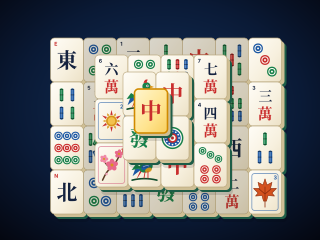
Mahjong Solitaire
Match free tiles to clear all 144 from six classic layouts. Every deal can be won, with hints, undo, solvable shuffles and a saved game.
PLAY →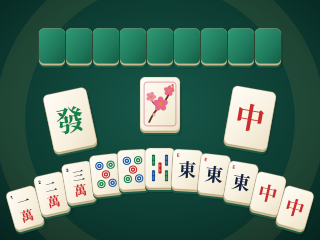
Chinese Official Mahjong
Four-player mahjong by the Chinese Official (MCR) competition rules: 81 fan, an 8-fan minimum and a full 16-hand match against three computer players.
PLAY →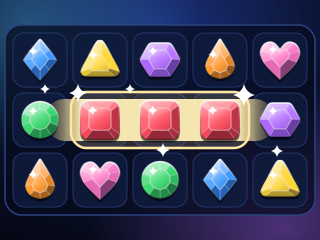
Match 3
Swap two jewels, line up three and watch the board cascade: 160 levels, a Daily Puzzle, Blitz and Zen, with no lives and no waiting.
PLAY →
Orbitile
Bring colour to the cosmos: turn any square of four tiles to link each colour's stars and light up a dark, fractured sky. 300 levels across twelve star systems, a Daily Orbit, endless generated skies, Singularity Trials and a universe maker.
PLAY →
Sky Tower
Drop sliding blocks to build a tower into the sky and far beyond it: a journey past the stars into psychedelic skies, endless and daily towers, 70 challenges with 14 bosses, two-player races and skins to unlock.
PLAY →
Jigsaw Puzzles
Real-feeling jigsaw puzzles in your browser: classic tab-and-blank pieces that click together, a 276-level Journey through 92 original pictures, any picture at 12 to 500 pieces, a Daily Jigsaw, a sorting tray, your own photos and every puzzle saved as you go.
PLAY →