Jigsaw Puzzles: Free Online Jigsaws, 12 to 500 Pieces
Real-feeling jigsaw puzzles in your browser: classic tab-and-blank pieces that click together, 35 original pictures from 12 to 500 pieces, a Daily Jigsaw, a sorting tray, your own photos and every puzzle saved as you go.
What is Jigsaw Puzzles?
Jigsaw Puzzles brings the calm of a real jigsaw to your browser, free on phone, tablet and computer. Every piece is cut with the classic round tab and blank, each seam shaped a little differently, with a raised edge and a soft shadow so it looks like card on a table. Drag a piece to its neighbour and it clicks into place; drop it where it belongs in the frame and it locks in.
There are 35 original pictures to choose from, in seven collections: Nature, Space, Animals, Cosy places, Oceans, Seasons, and Art and patterns. Cut any of them into 12, 24, 48, 99, 150, 300 or, on a computer or tablet, 500 pieces. Turn on rotation when you want the pieces scattered every which way, as they come out of a real box.
A new Daily Jigsaw arrives every day, the same picture cut the same way for everyone. You can also turn a photo from your own device into a puzzle without it ever leaving the device. Every puzzle you start is saved as you go, and finished ones hang in your gallery with your best time.
How to play Jigsaw Puzzles
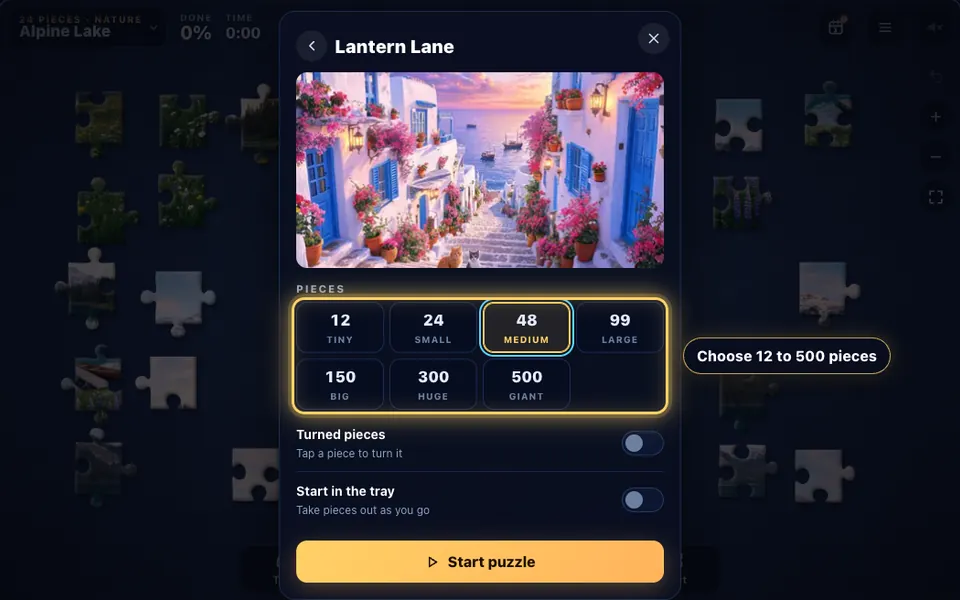
Pick a picture and a size
Open the library, choose one of the 35 pictures (or your own photo) and how many pieces you want, from 12 to 500.
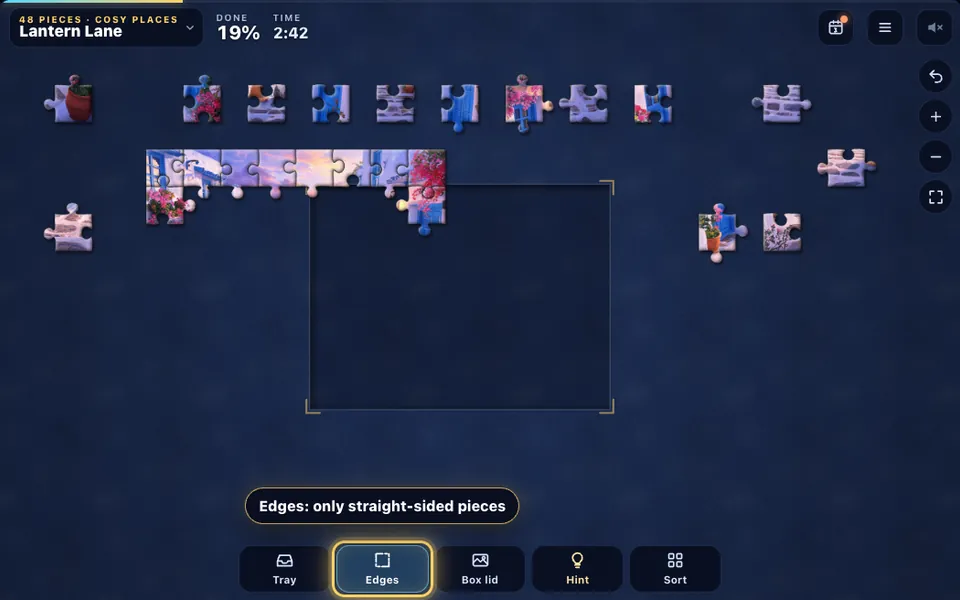
Start with the edges
Press Edges to clear everything but the straight-sided pieces off the table, then build the border round the frame.
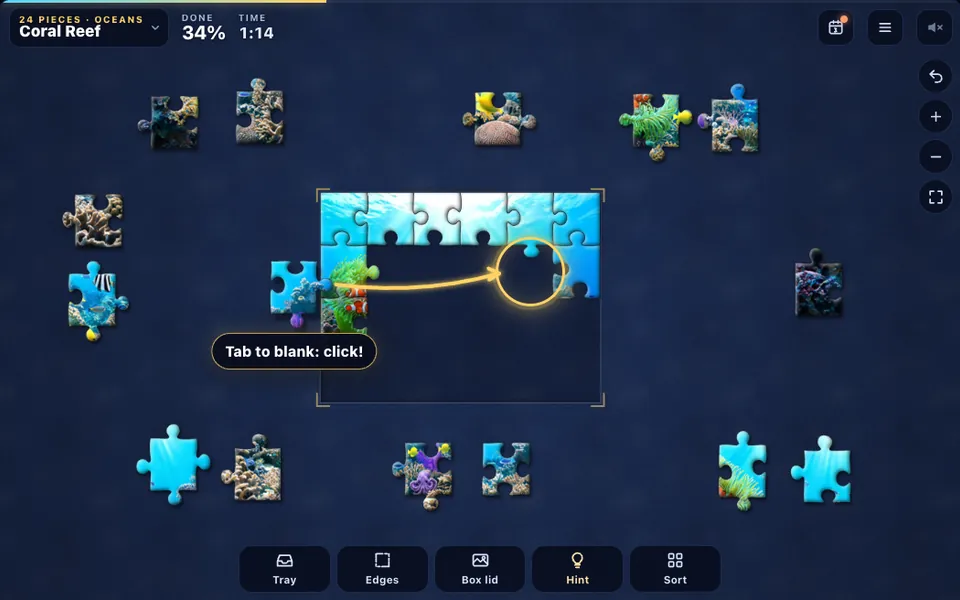
Drag pieces together
Carry a piece to its neighbour so the tab meets the blank. When they fit, they click together and move as one group from then on.
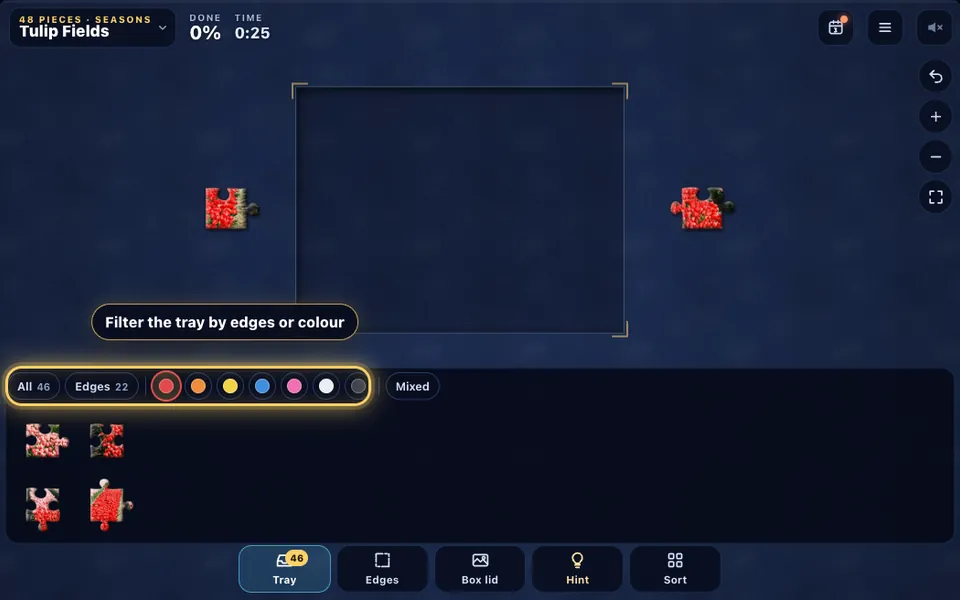
Sort pieces in the tray
Keep pieces in the tray under the table and filter it by edges or by colour. Tap a piece, or drag it up, to bring it onto the table.
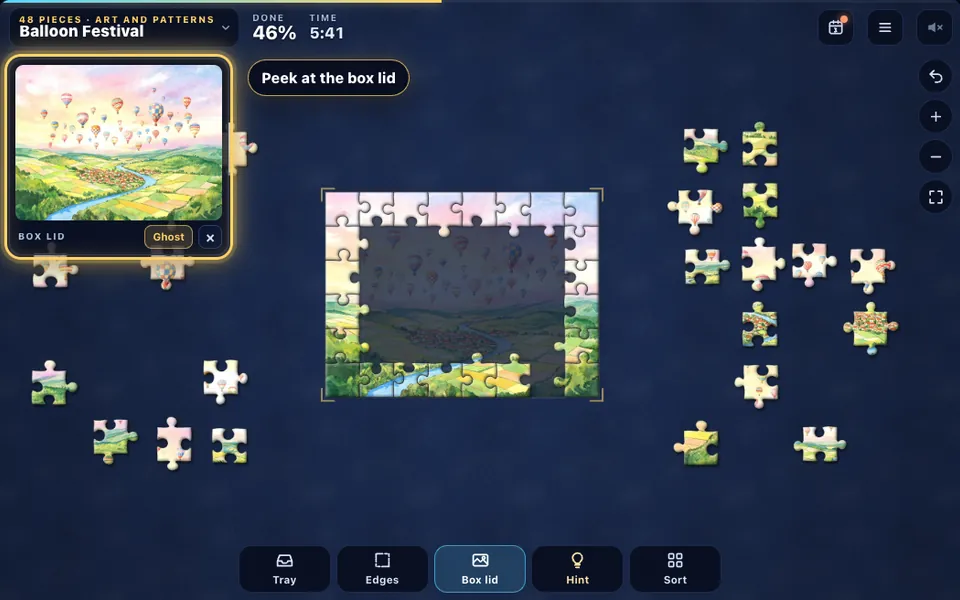
Peek at the box lid
The box lid shows the finished picture, and Ghost lays a faint copy inside the frame to help you place pieces.
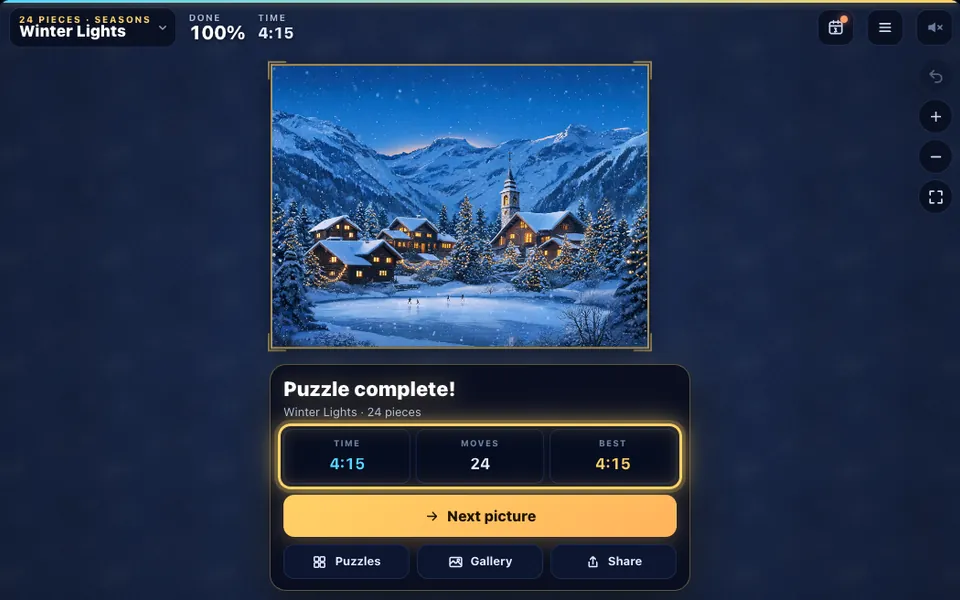
Finish the picture
Join the last piece and the seams fade away. Your time goes into your stats and the picture joins your gallery.
The rules in full
- Pick a picture from the library, choose how many pieces you want, and decide whether the pieces start round the frame or in the tray.
- Drag a piece onto its true neighbour. When the two fit, they click together and move as one group from then on.
- Drop a piece or a group where it belongs inside the frame and it locks in place, so it can't be knocked out of line.
- Drag any empty part of the table to move around it. Zoom with the mouse wheel, a two-finger pinch, or the + and − buttons; the corner button shows the whole table.
- Start with the edges: edge pieces have one straight side. The Edges button clears every other piece off the table until you press it again.
- Open the tray to keep pieces off the table. Filter it by edges or by colour, drag a piece up out of it, or tap one to drop it in view. A single piece dropped on the tray goes back in.
- Use the box lid to see the finished picture, or turn on Ghost for a faint copy inside the frame. Hint shows a piece that fits and exactly where it goes.
- With rotation on, tap a piece (or right-click it) to turn it a quarter turn. Pieces only join when they face the same way.
- The puzzle is finished when every piece is joined. The seams fade away, the picture shines, and your time goes into your stats and gallery.
Jigsaw Puzzles tips and strategy
- Build the border first. Once the frame is done, every remaining piece has a smaller space to belong in.
- Sort before you search: Sort lays the loose pieces out in rows, edge pieces first or grouped by colour, so nothing hides under anything else.
- Look at the shape as well as the picture. A piece with two tabs opposite each other only fits a gap with two blanks in the same places.
- Work on the parts with the most detail first, like a boat, a lantern or a bright flower. Plain skies and seas are easiest when they are the last pieces left.
- Put pieces you can't place yet in the tray and filter it by colour later. Twenty blue pieces are much easier to try than two hundred mixed ones.
- Zoom right in when you are matching small details, then press the corner button to step back and see the whole table.
- Use the box lid on a big puzzle, and make it larger with a tap when you need a closer look at one corner of the picture.
- On a phone, turn it sideways or use Full screen for more table. Hold a piece near its lower edge as you drag it, so your finger doesn't hide where it's going.
Free jigsaw puzzles online that feel like the real thing
A good online jigsaw should feel like tipping a box onto the table. Each piece here is cut with smooth curves in the traditional shape, with a narrow neck and a round head, and no two seams are quite the same, so pieces don't look interchangeable.
Pieces are lit from the top left, with a raised edge and a shadow that lifts when you pick one up. A fit makes a soft double click and a little glow, and pieces dropped in the right spot in the frame lock in, the way a real puzzle settles into place.
The table stays smooth with hundreds of pieces on it. Choose the cloth under them too: midnight or green felt, plum velvet, walnut, light oak, slate, cork board or deep space.
Jigsaw puzzles for adults and beginners: 12 to 500 pieces
Every picture can be cut seven ways. Twelve and twenty-four pieces make a quick, gentle puzzle for a coffee break or for children; 48 and 99 are a relaxing quarter of an hour; 150 and 300 are proper jigsaw puzzles for adults that can last an evening.
On a computer or tablet you can go to 500 pieces. Pieces stay close to square at every size, so the counts shown are the real number of pieces in the box for that picture.
Turn on rotation for the hardest version: every piece starts at a random quarter turn, and you tap pieces to turn them before they'll join. It's the closest thing to a real jigsaw tipped out of its box.
The Daily Jigsaw puzzle
Each day brings a new picture from the library, cut into 70 pieces in exactly the same way for everyone, so you can compare times with friends. A new one arrives at midnight, local time.
Finish it to grow your streak. The calendar shows every day you've done, and you can go back and play any past day you missed. The Share button sends your time without giving the picture away.
Sorting tools: the tray, edges, colours and hints
The tray is a drawer under the table for pieces you aren't using yet. Filter it to show only edge pieces or only one colour family, change its order, and pull out exactly the piece you want. You can also start a puzzle with every piece in the tray and take them out a few at a time.
Sort can lay all the loose pieces out in neat rows round the frame, edge pieces first, by colour, or spread out so none overlap, and Undo puts everything back. The hint doesn't just pick a random piece: it finds the best next fit, favouring the frame and your biggest group, and shows the outline of where it goes.
Make a jigsaw from your own photo
Choose Your photo in the library and pick any picture on your phone or computer. It is cut into a jigsaw right there in your browser, and the photo is never uploaded anywhere. Your eight most recent photos are kept in this browser, so you can come back to an unfinished puzzle.
Photos of any shape work, wide or tall. Pieces are cut to fit the photo, anything longer than two to one is trimmed at the ends to keep pieces a sensible size, and finished photo puzzles join the rest of your gallery.
A short history of jigsaw puzzles
The first jigsaw puzzles were maps. In the 1760s John Spilsbury, a London engraver and mapmaker, mounted maps on wooden boards and cut them apart along the borders of countries, so children could learn geography by putting the world back together.
For more than a century they were called dissected puzzles. The name jigsaw arrived in the early twentieth century, borrowed from the saw, and around the same time pieces began to interlock with tabs and blanks, so a puzzle held together on the table.
In the 1930s jigsaws became a craze. Cardboard puzzles stamped out by machine were cheap enough for every household, and families spent long evenings round one picture, much as people still do today.
Jigsaw Puzzles FAQ
Are these jigsaw puzzles free?
Yes. Every picture, every size, the Daily Jigsaw and photo puzzles are free to play in your browser, with no download and no account.
How many pieces can a puzzle have?
You can cut any picture into 12, 24, 48, 99, 150 or 300 pieces, and into 500 on a computer or tablet. Your own photos are cut to their shape, so the counts can differ slightly from these.
How do I join two pieces?
Drag one piece next to its true neighbour so the tab sits in the blank. When it's close enough it snaps into place with a click, and the two then move together as one group.
Why won't a piece snap into place?
Either it isn't that spot's piece, or, with rotation on, it isn't turned the same way as its neighbour. Tap it to turn it a quarter turn and try again, or ask for a hint.
Can I see the picture while I work?
Yes. The Box lid button shows the finished picture in a corner of the table; tap it to make it bigger. Turn on Ghost to lay a faint copy of the picture inside the frame.
Is there a way to sort the pieces?
Use the Edges button to show only edge pieces, the tray to filter by edges or colour, or Sort to lay every loose piece out in rows, edge pieces first or grouped by colour. Undo puts them back.
What is the Daily Jigsaw?
One picture a day, cut into 70 pieces the same way for everyone. Finish it to keep your streak going, and use the calendar to play any day you missed.
Can I make a jigsaw puzzle from my own photo?
Yes. Choose Your photo in the library and pick an image on your device. It's turned into a puzzle inside your browser and never uploaded; it's kept only in this browser so you can finish later.
Will my puzzle be saved if I leave?
Yes. Every puzzle you start is saved as you go, with every piece where you left it, up to sixteen puzzles at once. Find them under Carry on in the library.
Can I play on my phone?
Yes. Drag pieces with a finger, drag the table to move around, and pinch to zoom. Turning your phone sideways, or the Full screen button, gives you the whole screen for bigger puzzles.
Can I play with a keyboard?
Yes. The arrow keys move round the table, + and − zoom, and 0 shows the whole table. Press [ or ] to pick a piece, move it with the arrows and press Enter to drop it; R turns it, and T, E, B and H open the tray, the edges, the box lid and a hint.
What does rotation mode do?
With rotation on, every piece starts at a random quarter turn, like a puzzle tipped out of its box. Tap or right-click a piece to turn it; pieces only join when they face the same way.
More games
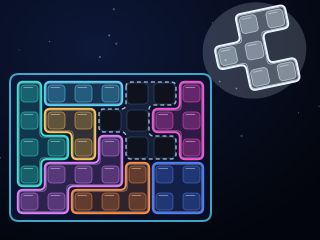
Inlay
A neon block packing puzzle: turn, flip and fit the glowing pieces until every cell of the board is filled. Endless puzzles at four levels, each with exactly one answer, and a daily board.
PLAY →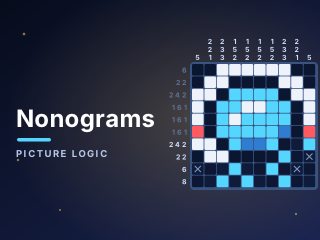
Nonograms
Fill the grid from the number clues to reveal a hidden pixel picture. A daily puzzle, unlimited puzzles from 5×5 to 25×25 and an album of hundreds of pictures.
PLAY →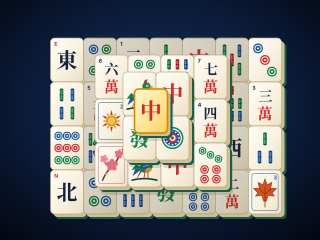
Mahjong Solitaire
Match free tiles to clear all 144 from six classic layouts. Every deal can be won, with hints, undo, solvable shuffles and a saved game.
PLAY →