Star Lander: One-Button Landing Game
One button fires the engine. Drop from the carrier, brake at the last moment and set down softly on smaller, faster pads across eight worlds.
What is Star Lander?
Star Lander is a landing game you play with one button. A carrier swings your little craft across the sky. Press once to let go, then hold to fire the engine and slow your fall until you settle on the lit pad.
That is the whole control scheme, and it is enough. When you let go decides where you come down. How long you hover decides how far you drift. The last short burn decides whether you get a Perfect or a crater.
Eight worlds change the rules as you travel: light gravity, crosswinds, rock spires, geysers, meteor showers, patrol drones, tight fuel and a storm world with no ground at all. Pads shrink, slide and bob as you go.
Slow, centred landings are graded Perfect, and each Perfect in a row raises a streak multiplier up to ten times. Play the full Journey, keep going in Endless, or fly the Daily flight that is the same for everyone today.
How to play Star Lander
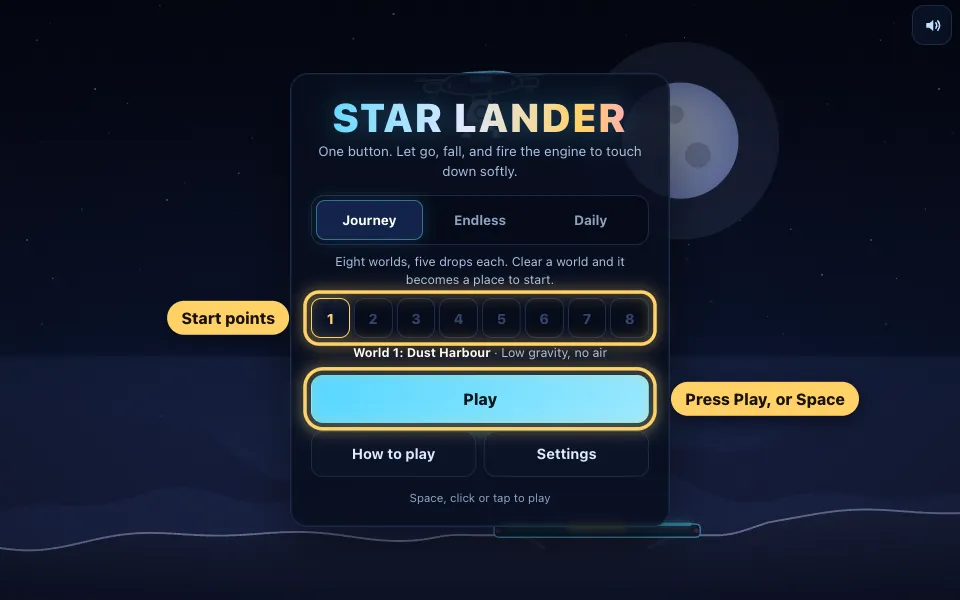
Choose a flight and press Play
Journey is the place to begin: eight worlds with five drops each. Press Play, or just press Space or Enter. Worlds you have cleared light up as starting points, so you never have to replay the early ones.
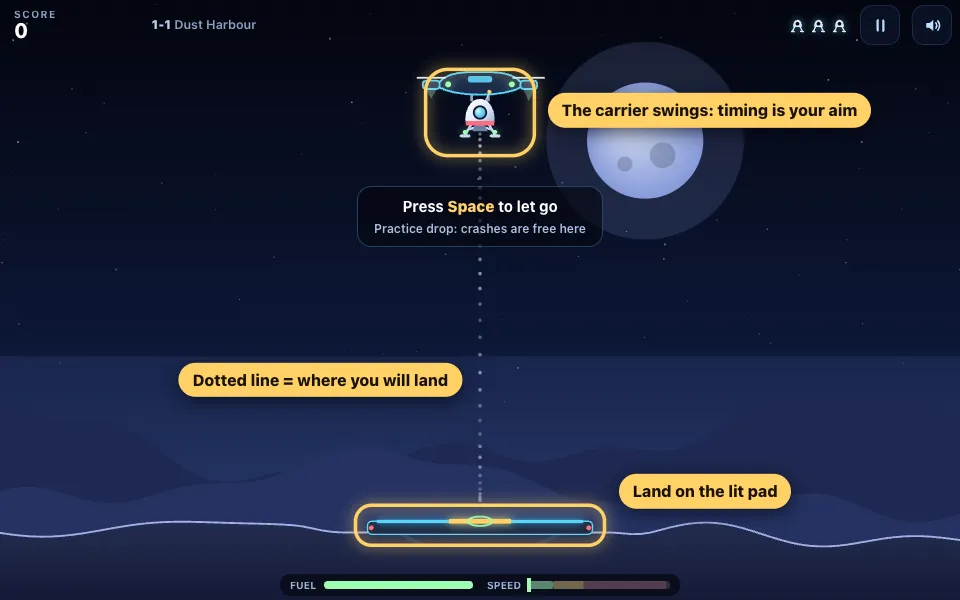
Let go of the carrier
The carrier swings your lander back and forth above the pad. Press once to let go. You keep the carrier's sideways speed, so let go while it is moving towards the pad and the dotted line will reach for it.
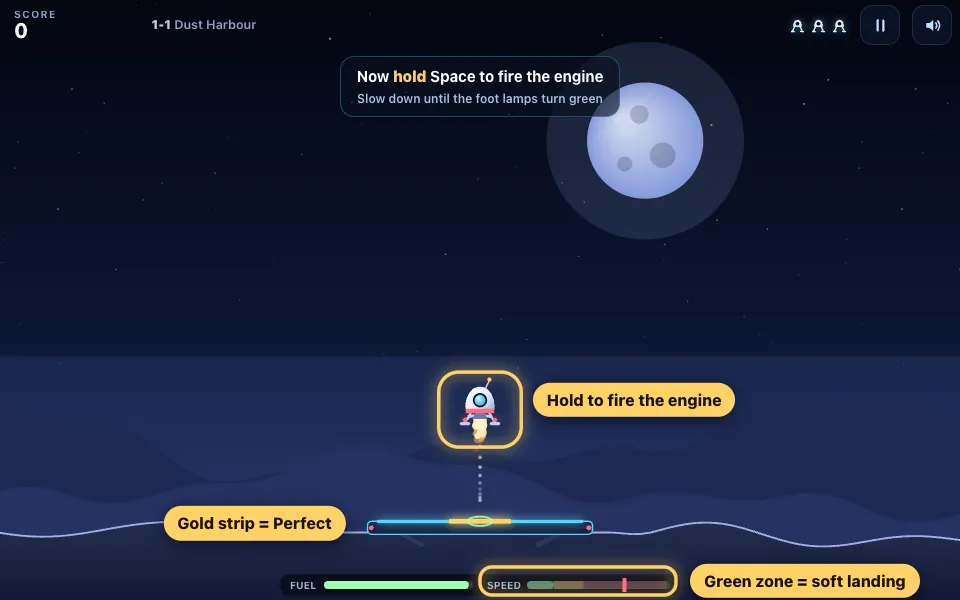
Hold to brake, watch the lamps
Hold the button and the engine fires straight up. Fall most of the way, then brake near the pad. The two lamps on the feet and the speed gauge tell you when you are slow enough: green is Perfect, red is a crash.
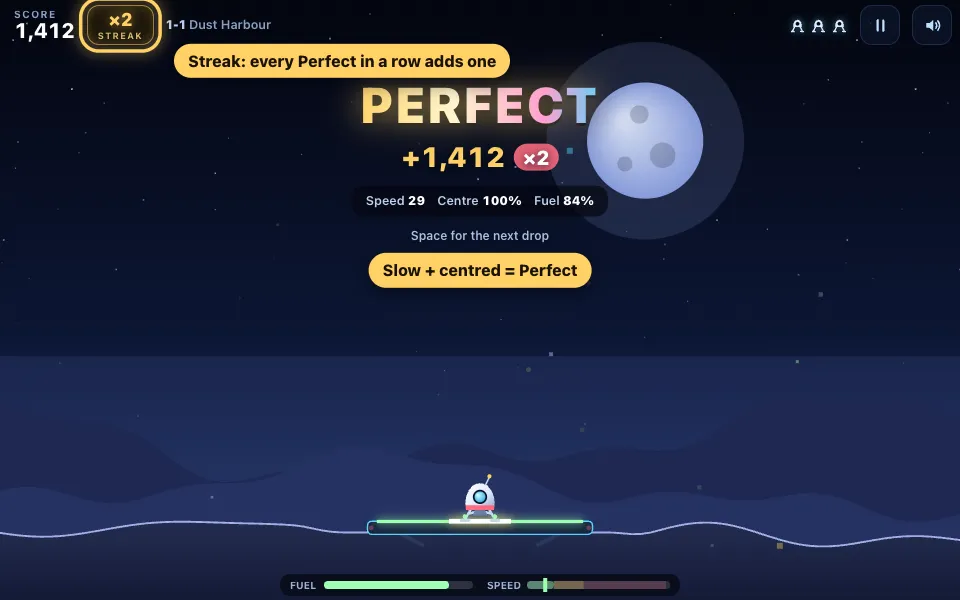
Land on the gold strip for a Perfect
Come down slowly with the lander over the gold strip and the landing is graded Perfect. The score breakdown shows points for the pad, speed, centring and fuel, and the streak chip at the top grows by one.
Read the wind and pick your pad
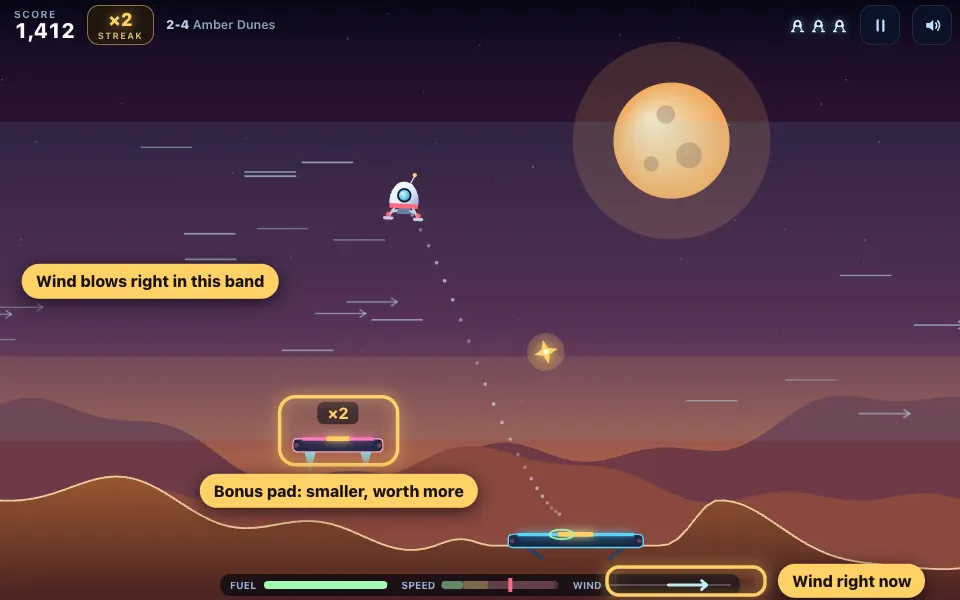
From the second world on, bands of wind push you sideways. The arrows show which way each band blows. Small bonus pads marked with a multiplier are worth far more, but only go for them when the dotted line agrees.
Learn each hazard's warning
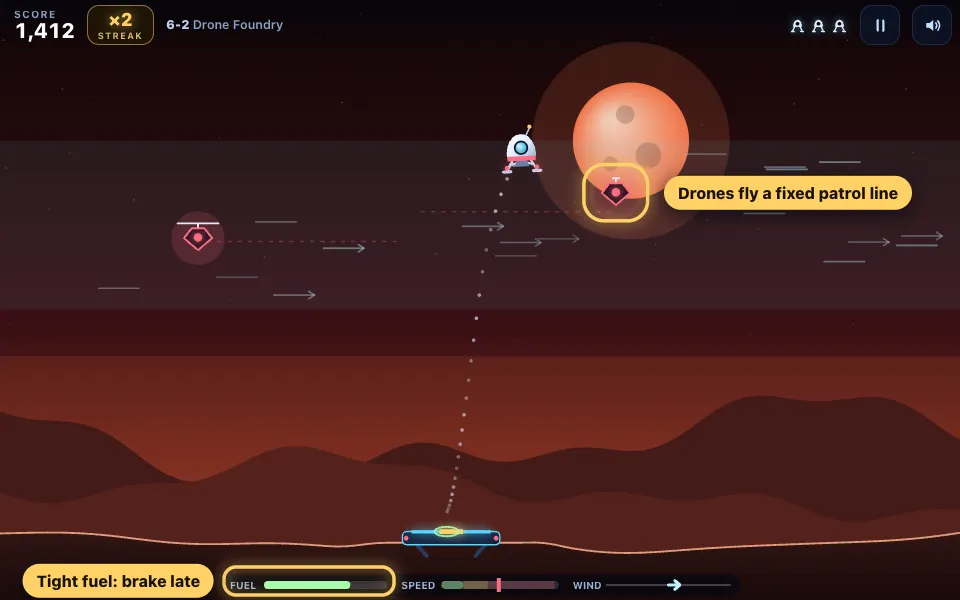
Later worlds add spires, geysers, meteors and drones. Each one warns you first: a red line shows where a meteor will fall, a geyser bubbles before it blows, and a drone flies a fixed patrol line you can time.
Try Endless and the Daily flight
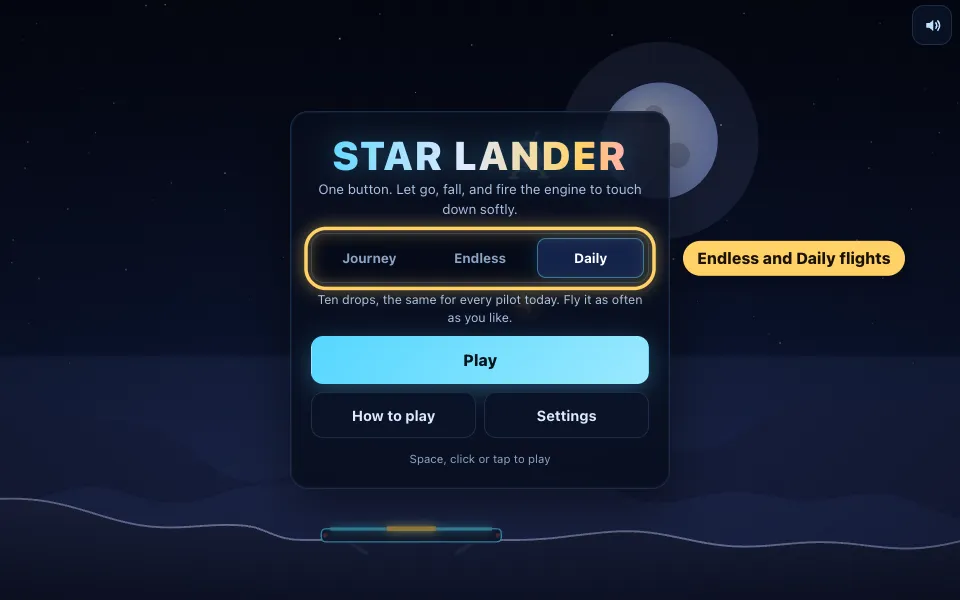
Endless keeps handing you new drops that slowly get harder, with a spare craft every ten landings. Daily is ten drops that are the same for every player today, flown with three craft. Fly it as often as you like.
The rules in full
- Pick Journey, Endless or Daily on the menu and press Play. Your lander starts docked under a carrier that swings from side to side.
- Press Space, click or tap once to let go. The lander keeps the carrier's sideways speed, so the moment you let go sets where you are heading.
- Hold the button to fire the engine. It always pushes straight up. Let go and you fall again. Fuel only burns while the engine is firing.
- Follow the dotted line. It shows where you will come down if you stop touching the button, and it moves as you hover.
- Watch the foot lamps and the speed gauge. Green lamps mean a Perfect speed, amber means you will survive, red means you will crash.
- Touch down with both feet on the lit pad. The gold strip in the middle is the Perfect zone.
- Every landing is graded Rough, Good, Great or Perfect. A Perfect raises your streak by one, a Great keeps it, and anything else resets it.
- A crash costs one craft and you fly the same drop again. Lose your last craft and the run ends.
- Clear the five drops of a world to earn a world bonus and a spare craft, and to unlock the next world as a starting point.
Star Lander tips and strategy
- Fall first, brake late. A long gentle hover burns far more fuel than one firm burn just above the pad, and leftover fuel is worth points.
- Tap, do not hold, for the last few metres. Short taps keep the foot lamps green without bouncing you back up.
- Let go of the carrier a little before it passes over the pad. You carry its sideways speed and will drift on after release.
- If the dotted line lands short, hover. If it lands long, stop hovering and drop. Hang time is your steering.
- A Great keeps your streak alive. When a landing gets messy, settle for a safe Great rather than forcing a Perfect.
- With a high streak, a plain pad landed Perfect beats a bonus pad landed Rough. Take the risky pad when the streak is low.
- Wind only pushes while you are inside its band. Fall quickly through a band that blows the wrong way and hover in one that helps.
How Star Lander works
Every drop is one small problem: get from the carrier to the pad without arriving too fast. Gravity pulls you down, the engine pushes you up, and nothing else is under your direct control.
The dotted flight path makes all of this readable. It shows where you will land if you do nothing more, so you can see the effect of every press as you make it.
Controls on keyboard, mouse and phone
On a keyboard, Space is the button. Enter, W and the up arrow do the same job. With a mouse, hold the left button anywhere on the game. On a phone or tablet, press and hold anywhere on the screen.
P or Escape pauses, and M turns the sound on or off. The game also pauses by itself when you switch tabs or scroll away.
For more control, turn on Pilot jets in Settings: small side jets on the left and right arrow keys, or on two arrow buttons on a touch screen. The game never needs them.
Landing grades and scoring
A landing scores 100 points for a normal pad, up to 100 more for touching down slowly, up to 100 for landing near the centre and 2 points for every unit of fuel left in the tank.
A Perfect needs green foot lamps and the lander over the gold strip, and adds another 250. Great is a little faster or a little wider. Good and Rough mean you got down in one piece.
Bonus pads multiply the pad value by two, three or five. Star shards are worth 150 points each, and a fuel cell gives 50 points and tops up the tank by 30.
Streaks and the x10 multiplier
The streak is where big scores come from. Your first Perfect is doubled, a second in a row is tripled, and so on up to ten times.
A Great holds the streak where it is. Anything worse drops it back to nothing, so a calm run of Perfects is worth far more than a few lucky ones.
The chip beside your score shows the current multiplier and turns pink once the streak reaches five.
The eight worlds of the Journey
Dust Harbour has low gravity and no air, and its first drop is a free practice run where a crash costs nothing. Amber Dunes adds steady crosswinds. Spire Canyon puts rock spires around the pad and stacks two wind layers.
Geyser Marsh has geysers that throw you upwards and pads that bob. Meteor Reach brings meteor showers and gusts. Drone Foundry is heavy, short on fuel and patrolled by drones.
Storm Giant has no ground at all, only floating pads above the clouds in strong layered winds. Nova Gate mixes everything for the last five drops.
Clearing a world pays 1,000 points times the world number and adds a spare craft, up to five. At the end, every spare craft is worth 2,000 more.
Endless mode and the Daily flight
Endless builds a new drop every time you land, moving through the worlds and slowly raising the difficulty. You gain a spare craft every ten landings and the run lasts until the last craft is gone.
The Daily flight is ten drops built from today's date, so everyone gets the same pads, winds and hazards. You have three craft, and each one left at the end is worth 500 points.
Each mode keeps its own best score on your device, and there are fourteen badges to earn, from a nine-landing streak to a flawless world.
Beginner strategy: your first soft landings
Start by ignoring the score. Let go, fall about two thirds of the way and hold the button until the lamps turn green. Then tap to stay green until the feet touch.
Once that feels easy, work on where you let go. Watch the carrier swing once and let go as it moves towards the pad. Use the dotted line to check yourself before you commit.
Leave bonus pads and star shards alone until you can land the main pad on most tries. They are there to tempt you off a good line.
Advanced play: fuel, wind and risk
The cheapest landing is a single late burn that slows you to a safe speed just as you reach the pad. It saves the most fuel and takes the most nerve.
Wind bands can be used as well as avoided. A hover inside a helpful band carries you sideways for free, and that is often the only way to reach a far bonus pad with one button.
The edges of the sky join up. Drift off one side and you come back on the other, which sometimes gives a shorter path to the pad than fighting the wind.
Why play this version
Landing games usually ask for a full set of rotate and thrust keys. Star Lander keeps the tension of the final approach and needs only one button, so it plays as well on a phone as on a keyboard.
Every drop in the Journey has been flown by an automatic test pilot using only the one button, and Endless and Daily drops are checked the same way before you see them, so there is always a way down.
It is free, runs in the browser with nothing to install, and saves your progress on your device.
Star Lander FAQ
How do you play Star Lander?
Press once to let go of the carrier, then hold the button to fire the engine and slow your fall. Touch down slowly with both feet on the lit pad.
What are the controls?
One button: Space, Enter, W or the up arrow on a keyboard, the left mouse button, or a press anywhere on a touch screen. P or Escape pauses and M mutes.
How do I steer with only one button?
You steer with timing. The lander keeps the carrier's sideways speed when you let go, and the longer you hover the farther you drift. The dotted line shows where you will land.
How do I get a Perfect landing?
Land with green foot lamps and with the lander over the gold strip in the middle of the pad. Both are needed: slow but off-centre is a Great.
How does the streak multiplier work?
Each Perfect in a row raises the multiplier by one, up to ten times. A Great keeps it, and a Good or Rough landing or a crash resets it.
What happens when I run out of fuel?
The engine stops and you fall. If you are already slow and close to the pad you may still land, so save a little fuel for the final brake.
How many worlds are there?
Eight worlds with five drops each, forty landings in all. Clearing a world unlocks the next one as a starting point for later runs.
What is the Daily flight?
Ten drops generated from today's date, the same for every player, flown with three craft. A new flight appears each day at midnight UTC.
Can I play Star Lander on my phone?
Yes. Press and hold anywhere on the screen to fire the engine. It works in portrait and landscape and needs no download.
Is Star Lander free?
Yes. It is free to play in your browser with no sign-up needed.
What are the side jets in Settings?
An optional setting that adds left and right thrusters on the arrow keys or on two on-screen buttons. It is off by default and never required.
Does the game save my progress?
Yes. Unlocked worlds, best scores, badges and settings are saved in your browser on the device you play on.
More games
Jetster
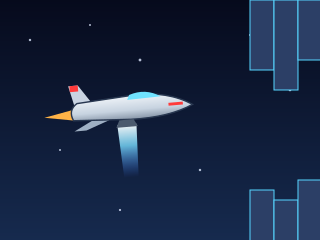
Fly a jet whose belly rocket fires down to push you up. Hold to thrust, release to fall, and survive the narrowing tunnel.
PLAY →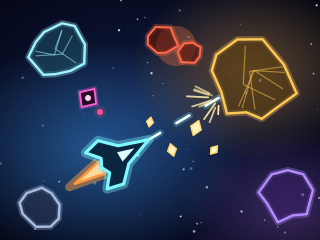
Belt Breaker
Thrust, drift and blast through a wrap-around rock belt. Rocks split, crystals buy upgrades, and every sector ends in a boss.
PLAY →
Comet Drift
A one-button 3D drifting game on roads in the sky: hold to drift into the bend, let go to grip. 200 levels in twenty worlds, an endless road, a daily road, 17 cars and a garage full of upgrades.
PLAY →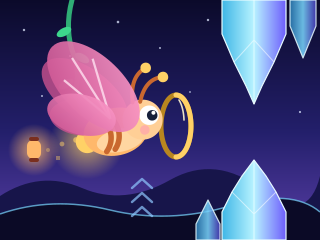
Wing Dash
One tap, one wingbeat: fly a glowing moth through vines, crystals, lanterns, storm clouds and closing petals.
PLAY →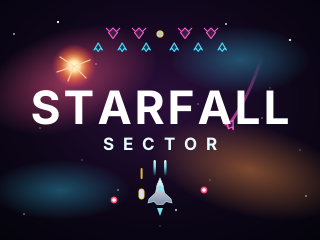
Starfall Sector
An arcade space shooter: squadrons swoop in, form up and dive at you. Salvage gun pods from derelict drones, beat six bosses and fly to the heart of the fall.
PLAY →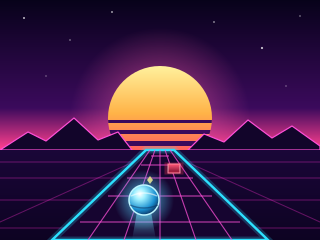
Rollwave
Steer a glowing ball down a winding synthwave track where nothing turns for you: take every bend, dodge blocks, lasers and spinners, launch off ramps and race computer balls, a friend or people online. 120 levels, an endless run and a daily run.
PLAY →