Space Clicker: Idle Space Mining Game
Tap a star for stardust, build a fleet that mines while you are away, and go supernova to come back stronger.
What is Space Clicker?
Space Clicker is a free idle space mining game you play right in your browser. Tap a blazing star to mine stardust, spend it on producers that mine for you, and watch your little solar system fill up with drones, rigs, sails and swarms.
There is always something to do next. Comets streak across the sky with timed boosts, research turns alloy and energy into big jumps, and a strip under the star always shows your next goal and how long it will take.
When a run slows down, go supernova. Your star collapses, you keep star shards that speed up every later run, and new layers open one by one: crewed Expeditions, Planets to terraform and an Autopilot that plays the routine parts for you.
Your game saves in this browser every few seconds, keeps working while you are away for up to 8 hours at first, and greets you with a summary of everything your fleet did.
How to play Space Clicker
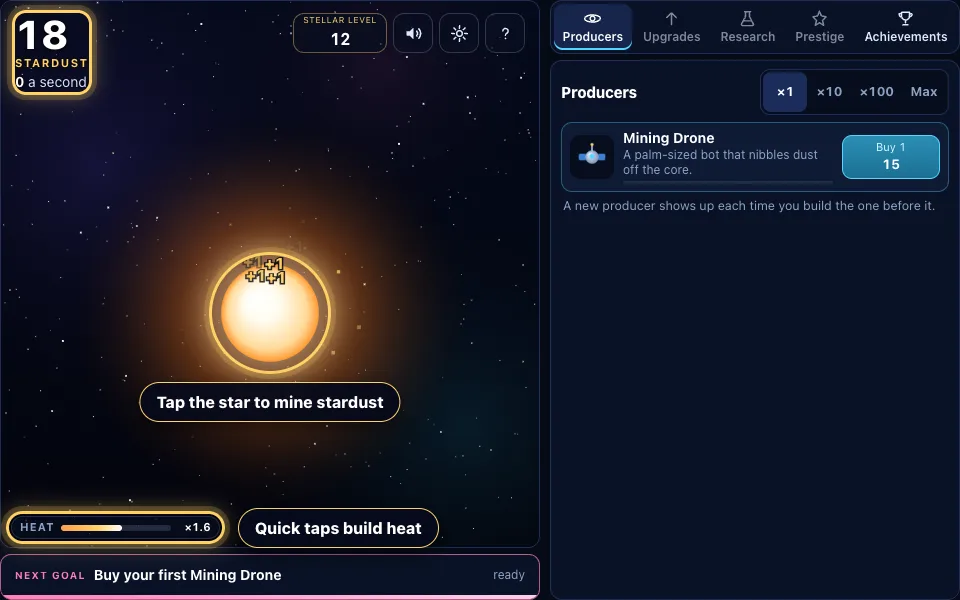
Tap the star
Your game starts with one bright star and an empty sky. Tap it, or press Space, to mine stardust. Quick taps fill the heat bar under the star, and full heat doubles what every tap is worth.
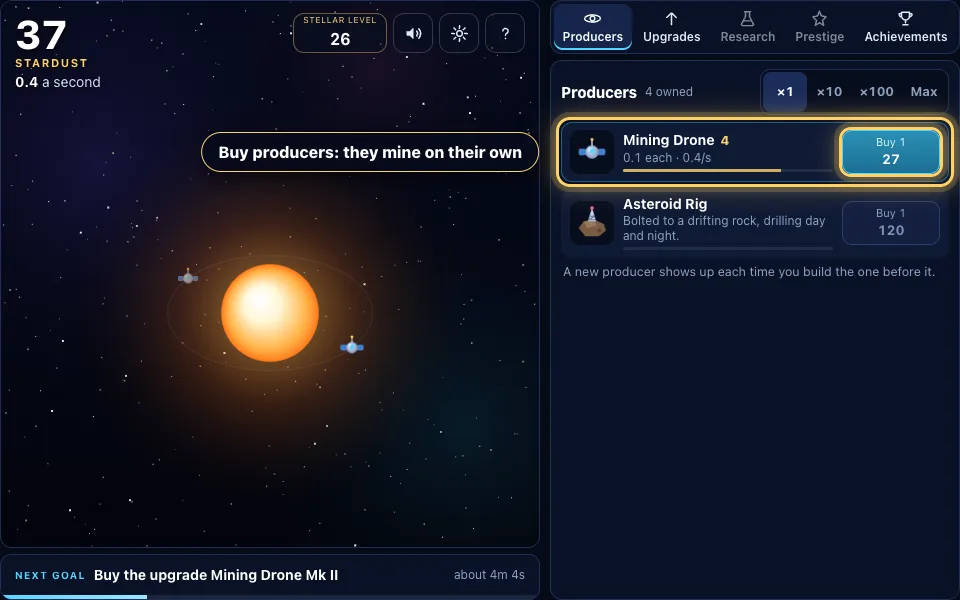
Buy your first producers
Spend stardust on a Mining Drone in the Producers list. Every producer mines by itself, and each one you own joins the orbit around your star. The buy button shows the price for one, ten, a hundred or as many as you can afford.
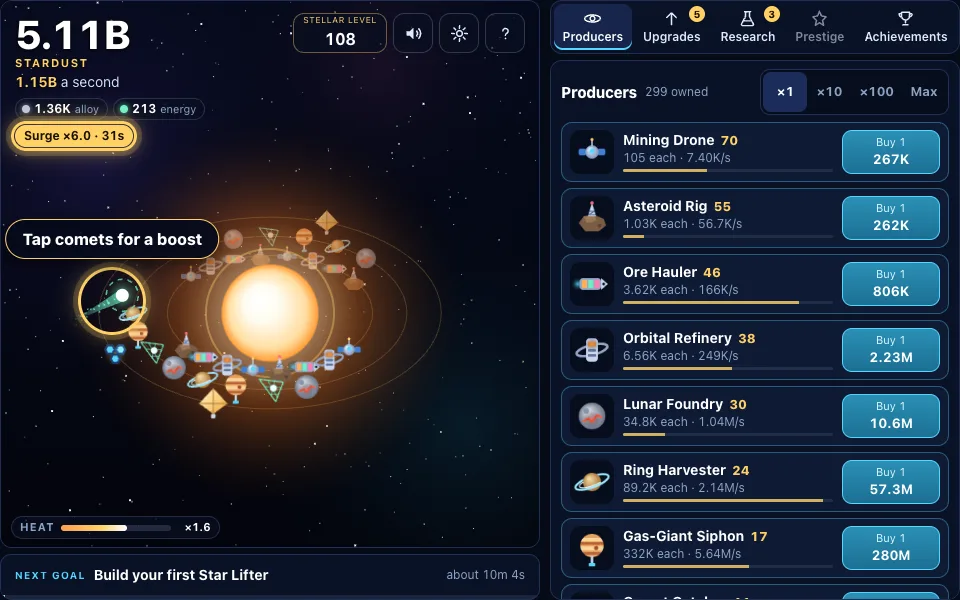
Catch comets and keep the heat up
Every minute or two a comet streaks across the sky. Tap it before it is gone for a timed boost: a Solar surge, a Rich vein or a Dust shower. Boosts show as chips under your totals with the seconds left.
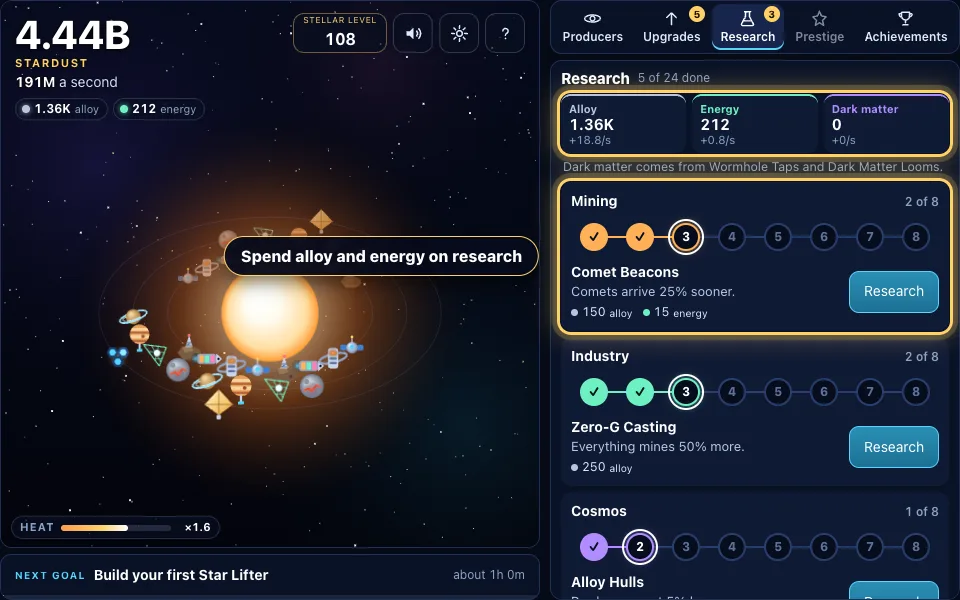
Research with alloy and energy
Refineries make alloy and later machines make energy and dark matter. Spend them in Research, where three branches of projects multiply taps, producers and comets. Each branch is a line of steps you finish in order.
Go supernova
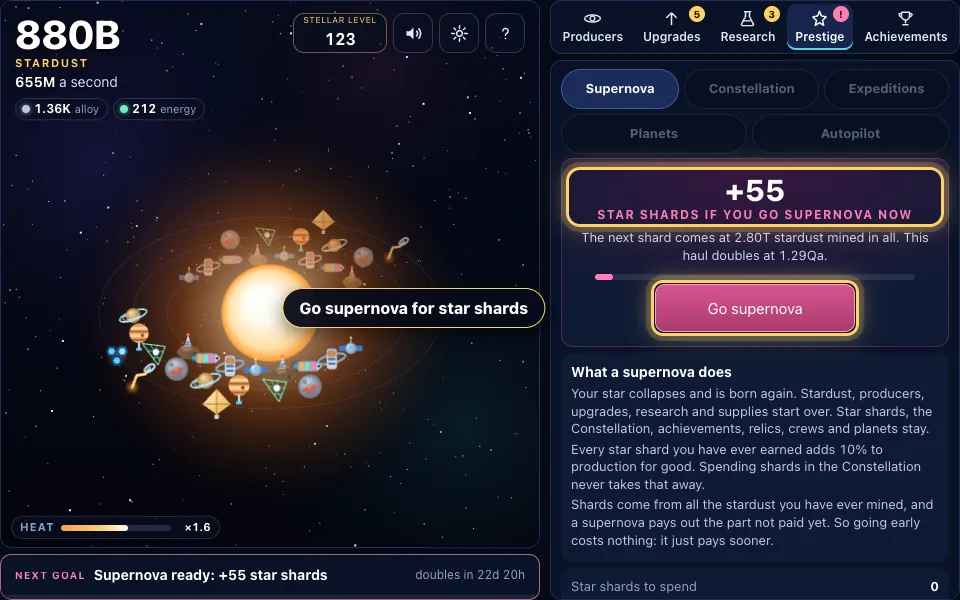
Once a run has mined 1T stardust, the Prestige tab shows how many star shards a supernova would give. Go supernova and the run starts over, but every star shard you have ever earned adds 10% to production for good.
Spend shards in the Constellation
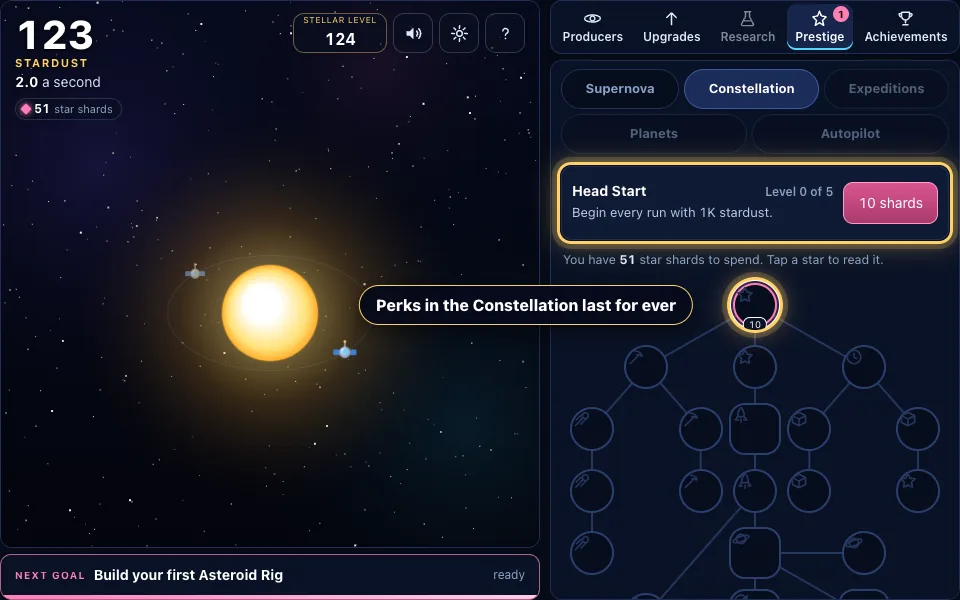
Star shards buy perks in the Constellation, a tree of stars that never resets. Early perks give you a head start and longer time away. Later ones open whole new layers of the game.
Expeditions, Planets and Autopilot
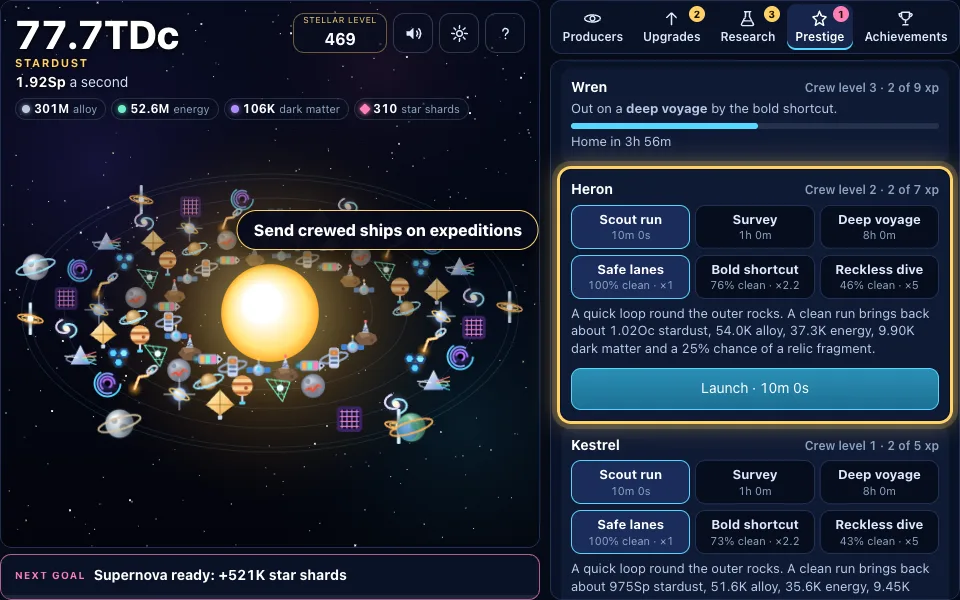
The Shipyard perk opens Expeditions: crewed ships that bring back stardust and relic fragments. The Terraformer opens Planets you shape over real hours, and Autopilot Core lets the game buy producers for you, even while you are away.
The rules in full
- Tap or click the star to mine stardust. On a keyboard, Space or Enter mines too.
- Tap quickly to build heat. Four taps a second keeps heat full, and full heat doubles every tap.
- Open Producers and buy a Mining Drone, then more. Each producer mines stardust every second, even when the game is closed.
- Use ×1, ×10, ×100 or Max to buy several of a producer at once. The button always shows the exact price.
- Buy upgrades as they appear. Owning 5, 25, 50, 100 and more of a producer unlocks stronger upgrades for it.
- Catch comets when they fly past. A Solar surge multiplies production, a Rich vein multiplies taps and a Dust shower pays minutes of production at once.
- Build an Orbital Refinery to start making alloy, then spend alloy, energy and dark matter in Research.
- Once a run has mined 1T stardust, open Prestige and go supernova for star shards.
- Spend star shards in the Constellation on perks that last for ever and open Expeditions, Planets and Autopilot.
- Tap the next-goal strip whenever you are not sure what to do. It jumps straight to the right place.
Space Clicker tips and strategy
- Buy the producer that pays for itself soonest, not always the newest one. The cheapest upgrade is often the best deal of all.
- Keep tapping in short bursts early on. Heat makes taps worth far more than a slow steady click, and the first few runs reward active play.
- Never let a comet fly by. Even a Dust shower in the first minutes can pay for your next producer outright.
- Do not wait too long for your first supernova. A quick one around 1T stardust gives enough shards to make the next run much faster.
- Spend your first star shards on Head Start and Long Watch. A faster start and more time away pay off on every later run.
- Each achievement adds 1% to production, so the Achievements tab is worth a look whenever you are stuck.
- Send expedition ships on a long mission before you close the game. They keep flying while you are away.
- Use Settings to copy your save text now and then, especially before you clear your browser.
A living solar system that grows with you
Space Clicker starts with a single star in a dark sky. Every producer you buy appears in orbit around it, so the view slowly fills with drones, rigs, siphons, sails and swarms until it looks like a busy little galaxy.
Taps throw glowing chunks of stardust off the star, numbers float up from your finger and heat builds in a bar underneath. It is a clicker game you can feel, and it stays smooth on phones and desktops alike.
There are twenty producers in all, from the humble Mining Drone to the Multiverse Gate. The last four are exotic machines you unlock with star shards, each one a goal in its own right.
Stardust, alloy, energy and dark matter
Stardust is what you mine and spend most. Bigger machines also make supplies: Orbital Refineries make alloy, later machines make energy, and Wormhole Taps and Dark Matter Looms make dark matter.
Supplies go into Research, three branches of eight projects each. Mining projects make taps and heat stronger, Industry projects multiply whole groups of producers, and Cosmos projects improve comets, prices and time away.
Once a branch is finished you can keep pouring supplies into its mastery, which grows a little stronger with every level for as long as you like.
Comets, heat and the next goal
Comets cross the sky every minute or two. A Solar surge multiplies all production for a while, a Rich vein makes every tap worth fifteen times more, and a Dust shower pays several minutes of production at once. Now and then a twin comet doubles the reward.
Heat rewards quick tapping without asking you to tap forever. Four taps a second holds it full, it drains slowly when you stop, and research can make full heat worth five times a normal tap.
The next-goal strip under the star always names one thing to aim for, with an estimate of how long it will take that counts both your producers and your tapping over the last few seconds. Tap it and it takes you straight there.
Supernova, star shards and the Constellation
A supernova is the big reset of this idle game. Once a run has mined 1T stardust you can let your star collapse. Stardust, producers, upgrades and supplies start over, and you collect star shards based on everything you have ever mined.
Every star shard you have ever earned adds 10% to production for good, even after you spend it. That is why each run goes faster than the last.
Shards are spent in the Constellation, a tree of twenty-six perks that never resets. Some give a head start or stronger comets, others raise your time-away limit, and the biggest open entirely new parts of the game.
Three more layers to discover
Expeditions arrive with the Shipyard perk. Pick a mission from a ten-minute scout run to an eight-hour deep voyage, choose safe lanes or a risky shortcut, and send a crewed ship out. Crews gain levels, and voyages bring back relic fragments that build twelve relics.
Planets arrive with the Terraformer perk. Found a world, choose whether it is a Forge, Quarry, Lab or Haven world, and terraform it from bare rock to a garden world over real hours. Planets survive every supernova.
Autopilot arrives with Autopilot Core. It buys the producer that pays for itself soonest, then can take over upgrades, research and expeditions too, even while the game is closed.
Time away and the welcome back
Space Clicker keeps mining while you are gone. When you come back, a welcome-back summary shows the stardust you earned, the time away that counted and what your expeditions and Autopilot did.
Time away counts for up to 8 hours at first. The Long Watch perk raises that to 12, 24 and then 48 hours, two Research projects add 6 more, and every stage of a Haven world adds 2.
A tab left open in the background earns exactly what a tab you watch would earn. Setting your clock back gives nothing, and setting it forward only pays one capped stretch.
Your save is safe
The game saves in this browser every five seconds, after every purchase and whenever you leave the page. Each save is checked when it loads, and a backup copy is kept in case anything ever goes wrong.
In Settings you can copy your whole game as a line of text and paste it back in on another browser. A damaged or incomplete save is refused with a clear message and your current game stays as it was.
If the game is open in two tabs, only one plays at a time so the two never overwrite each other.
Stellar Level and the leaderboard
Your Stellar Level counts all the stardust you have ever mined, across every supernova: ten levels each time that total grows tenfold. It never goes down.
Your highest Stellar Level is your score on the Space Clicker leaderboard, so a long game is always worth coming back to.
Space Clicker FAQ
Is Space Clicker free to play?
Yes. Space Clicker is completely free, runs in your browser and needs no download or account.
Does Space Clicker work on phones?
Yes. It is built for touch as well as mouse and keyboard. The star, your totals and the tabs all fit on a phone screen, and the lists scroll on their own.
Does the game keep going when I close it?
Yes. Producers keep mining while you are away, for up to 8 hours at first. Perks, research and Haven worlds raise that limit, and you get a summary when you come back.
How do I go supernova?
Mine 1T stardust in a single run, then open the Prestige tab and choose Go supernova. You will be asked once more before anything resets.
What do star shards do?
Every star shard you have ever earned adds 10% to production for good. You can also spend them on Constellation perks without losing that bonus.
How do I unlock Expeditions, Planets and Autopilot?
Each one is a perk in the Constellation: Shipyard opens Expeditions, Terraformer opens Planets and Autopilot Core opens Autopilot.
Where is my game saved?
In this browser, every few seconds. Use Settings to copy your save as text if you want a backup or want to move your game to another browser.
Can I change how big numbers are written?
Yes. Settings lets you choose named numbers such as 1.23Qa or scientific numbers such as 1.23e15.
What is my Stellar Level?
A measure of all the stardust you have ever mined: ten levels for every tenfold. Your highest Stellar Level is your leaderboard score.
Do I have to keep tapping all the time?
No. Tapping and heat help most early on, but producers, comets, expeditions and Autopilot carry you further and further as the game goes on.
More games
Deep Digger
Dig down forever, drop rocks on what lives below and outrun the lava.
PLAY →
Abyss Angler
Cast deep, steer the hook past jellyfish, haul up a full line and slice the catch for pearls. Upgrade your gear and sail to seven waters.
PLAY →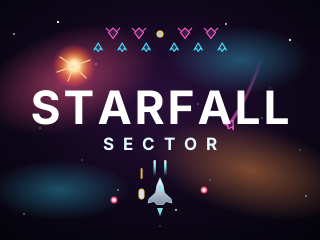
Starfall Sector
An arcade space shooter: squadrons swoop in, form up and dive at you. Salvage gun pods from derelict drones, beat six bosses and fly to the heart of the fall.
PLAY →
Star Lander
One button fires the engine. Drop from the carrier, brake at the last moment and set down softly on smaller, faster pads across eight worlds.
PLAY →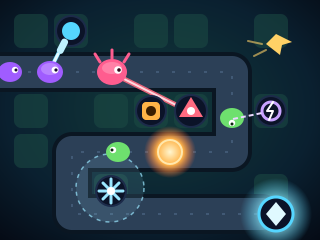
Tower Defense
Hold the Core across 12 maps and four worlds. Eight towers with branching upgrades, sixteen kinds of enemy, bosses, fast-forward and an endless mode on every map.
PLAY →