Rocket Bridges: Connect the Islands Puzzle
The bridges logic puzzle: link numbered islands into one network. A daily puzzle and unlimited grids from 7×7 to 25×25, Easy to Expert, with explained hints.
What is Rocket Bridges?
Rocket Bridges is the island-connecting logic puzzle, free in your browser on phone, tablet or computer. A map of numbered islands floats on open water, and each number says how many bridges that island needs. Link neighbouring islands with one or two straight bridges, never crossing another, until every island has its number and the whole archipelago is one connected network.
A new daily puzzle arrives every midnight, the same for everyone, and you can build unlimited fresh maps from a cosy 7×7 to a sprawling 25×25 at four levels graded by the logic they need: counting at Easy, isolation at Medium, connectivity at Hard and short what-if chains at Expert. Every puzzle is built on the spot, has exactly one solution and never needs a guess. Islands glow when they're complete, a live counter shows how many separate groups are left, and hints explain the next bridge instead of just drawing it.
How to play Rocket Bridges
- The goal: connect every island into a single network, giving each island exactly as many bridges as its number.
- Drag from an island towards a neighbour to build a bridge. Drag the same way again for a double bridge, and once more to remove it. You can also tap the gap between two islands, or tap one island and then the other.
- Bridges run straight across or down, at most two between the same pair of islands, and they can never cross another bridge or pass over an island.
- Islands glow green when they have exactly their number and turn red if they have too many. The line under the map counts the separate groups of connected islands.
- You win when every island is complete and all of them are joined. Undo is unlimited, Restart clears the map, and Hint builds one certain bridge and explains why.
Rocket Bridges tips and strategy
- Start with islands that can only finish one way: a 4 in a corner with two neighbours needs double bridges to both, and an 8 needs double bridges in all four directions.
- An island with one neighbour gives all its bridges to that neighbour. A 1 next to a single other island is the easiest bridge on the map.
- Count what the neighbours can take. If a 5 has three neighbours, at least one bridge must go to each, because two double bridges only make 4.
- Never close a group off early: two 1s can't be joined to each other, and two 2s can't share a double bridge, because that pair would be finished but cut off from everyone else.
- When one bridge is the only remaining link between two parts of the map, it has to be built.
- Watch crossings: building a bridge rules out every bridge that would cross it, which often finishes the islands nearby.
Bridges puzzle rules
The puzzle is played on a grid with numbered islands. You draw bridges between islands that can see each other in a straight horizontal or vertical line. Each pair can have no bridge, one bridge or two. Bridges may not cross each other or pass over other islands. When the puzzle is solved, every island has exactly as many bridges as its number and you can walk from any island to any other.
A good bridges puzzle has exactly one solution and can be solved by reasoning alone. Every Rocket Bridges map is checked twice before you see it: our step-by-step solver finishes it with human techniques, which proves the solution is unique, and an independent search confirms there is no second solution.
Four levels of logic
Easy maps fall to counting: compare an island's number with how many bridges its neighbours can still take. Medium adds isolation, ruling out bridges that would finish a small group and seal it off from the rest. Hard needs connectivity: bridges that are the last link between two parts of the map, and bridges that would cut off the only route an island has left. Expert needs chains, trying a bridge in your head and following the consequences until something breaks.
Size is your choice at every level, from 7×7 for a quick break to 25×25 for a long session with zoom and pan. Leaderboard times are kept for Easy 10×10, Medium 13×13, Hard 13×13 and Expert 16×16, the sizes of the daily puzzles.
The daily bridges puzzle
The daily map changes at midnight and is the same for every player. Monday is Easy, Tuesday, Wednesday and Friday are Medium, Thursday and Saturday are Hard and Sunday is Expert. Solve it on its day to build a streak, see your solved days on the calendar, and catch up on any day you missed.
Rocket Bridges FAQ
Is Rocket Bridges free?
Yes. It's completely free with no account and no download. Play the daily puzzle and as many generated maps as you like.
Does every puzzle have exactly one solution?
Yes. Each map is solved by our logic solver before you see it, which proves the solution is unique, and checked again by a separate brute-force search. You never have to guess.
How do I make a double bridge?
Build the same bridge twice: drag from the island again, tap the gap again, or press Shift and the arrow key again. A third time removes it.
How many hints do I get?
Two per puzzle on Easy, one on Medium and Hard, and none on Expert. Undo, Restart or reloading never gives a hint back. Each hint builds one bridge and explains the reasoning; a bridge that isn't part of the solution is fixed first.
What do the difficulty levels mean?
Each level is graded by the hardest reasoning a map needs. Easy needs only counting, Medium adds isolation (not sealing off a finished group), Hard adds connectivity (the last link between two parts must be built), and Expert needs short chains of what-if reasoning. Any level can be played at any size from 7×7 to 25×25.
Why won't a bridge build?
Bridges can't cross. If a bridge would cross one you've already built, the game refuses it and flashes the bridge in the way. Remove that one first if you need the new route.
Can I play on my phone?
Yes. Drag with your finger to build, pinch or tap Zoom on big maps, and drag the water to move around. Full screen gives an app-like view, and turning your phone sideways puts the tools beside the map.
Does it save my game?
Yes. Your bridges, undo history and time are saved in your browser and resume when you come back. Your statistics, best times, streak and calendar stay on your device.
More games
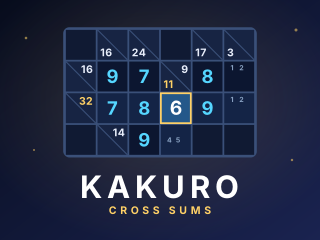
Rocket Kakuro
Kakuro cross sums: a daily puzzle and unlimited grids from 6×6 to 14×14, Easy to Expert. A combination helper, notes, explained hints and undo.
PLAY →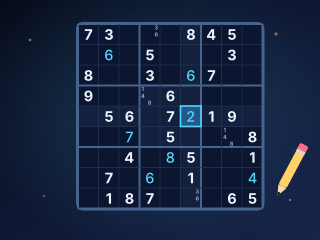
Sudoku
A fresh daily Sudoku plus unlimited puzzles from Easy to Expert, graded by the techniques they need. Notes, hints that explain themselves, undo and a timer.
PLAY →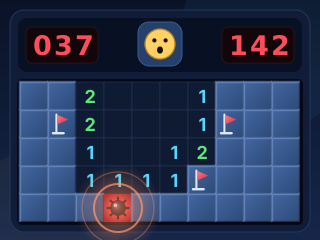
Minesweeper
Classic Minesweeper with no-guessing boards, a safe first click, chording, best times and smooth controls for mouse, keyboard and touch.
PLAY →